
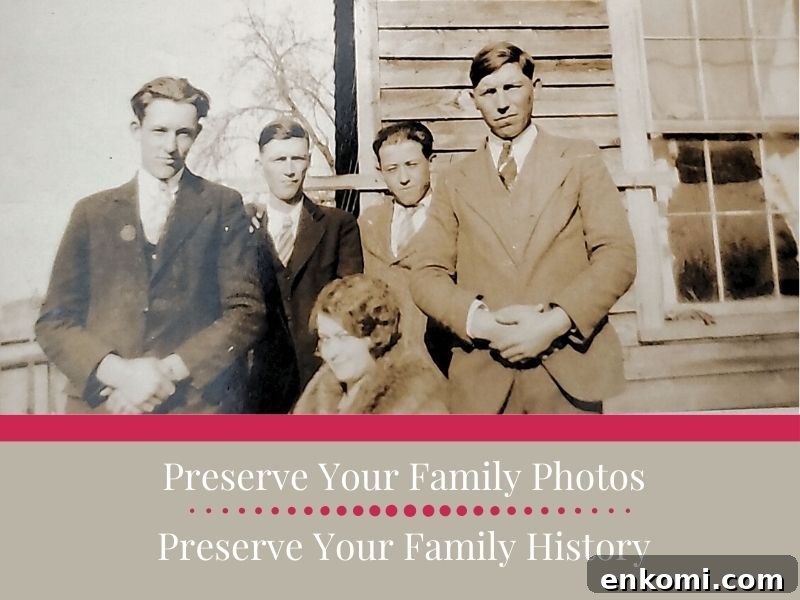
A simple method to scan and preserve family photos so memories are safe for future generations. Try the Photomyne app to get started scanning today.
This post was sponsored by Photomyne. I received a complimentary subscription but all opinions are my own. I only recommend products and services I use and believe are helpful.
It all began with a single photograph.
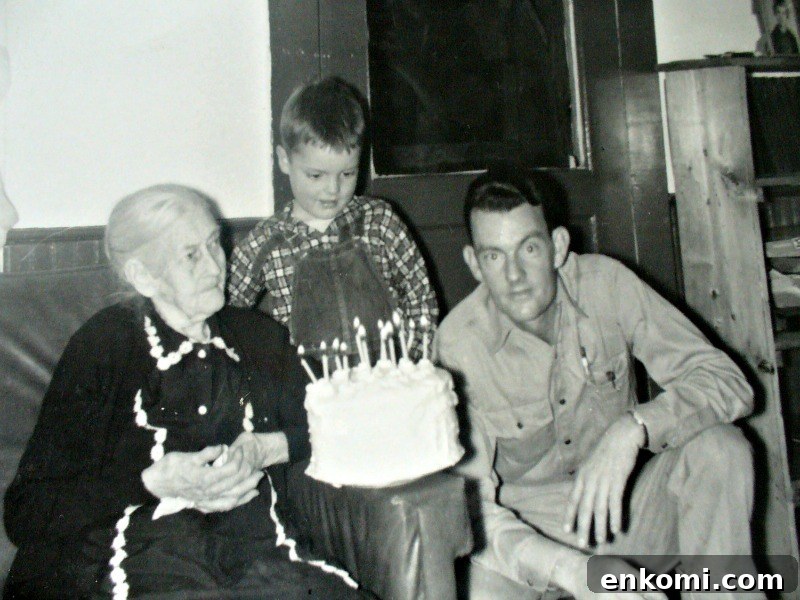
I recognized the older woman as Clara Holt Haley, my great-great-grandmother, but the man and little boy were unknown to me. Early in my genealogy journey I didn’t know how to identify them, so I shared the photo on my blog.
Months later a reader left an anonymous comment saying the woman was his grandmother. That exchange led to another photo post, and eventually the reader identified himself as my grandmother’s first cousin. From there we shared family stories, I met more relatives, and I collected oral history from family members who have since passed.
As a result my dad and I attended a Haley family reunion in southern Virginia — his first in 60 years. All because I took a photo out of a box of hundreds and shared it.
What might be hiding in your boxes of photographs? Old photos often hold names, stories, and connections waiting to be rediscovered.
Preserving Old Family Photos Leads to Stronger Family Connections
Many family historians inherit boxes of unlabeled photographs. While finding them is exciting, unlabeled images mean missed opportunities to connect names to faces, record stories, and share memories with living relatives.
Old photos are excellent conversation starters. When meeting new cousins or conducting interviews, sharing a photograph and asking about the story behind it breaks the ice and often prompts memories and details you might not hear otherwise.
Tip: Whenever possible, give copies of the photos to the relatives you interview — it encourages storytelling and helps preserve shared history.
Preserving the physical print is important because older photographs can be fragile and need proper storage. Equally important is digitizing those photos: digital copies protect images from physical loss, make sharing simple, and allow you to back up your family archive.
If you have boxes of photos, scanning can feel overwhelming. I started scanning mine during spring 2020 and made quick progress by using an efficient workflow. Below I share the approach I used to make the task manageable and enjoyable.
Let’s get started together.
A Practical Tool for Scanning Family Photos
The best scanning tool is the one you will actually use. Flatbed scanners are fine for careful work, and photographing prints can work too. I prefer a faster method with fewer steps so the work actually gets done. For that I use the Photomyne app.
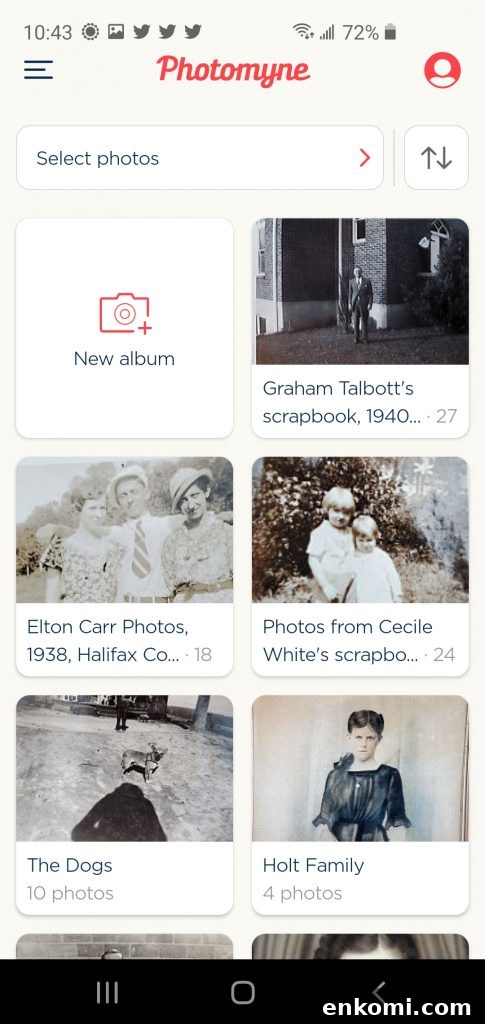
Photomyne is a mobile scanning app for Android and iOS. It’s fast and easy; I scanned ten photos and shared them by email in under five minutes. Because my phone is always with me, my scanner is too.
- Automatic cropping and image detection
- Ability to scan multiple photos at once—great for albums
- Organize scans into albums with titles and descriptions
- Optional web platform and cloud storage with premium plans
The free version is useful for trying the app, but scanning limits and missing cloud features make the paid premium option worthwhile for extensive collections. Premium offers unlimited scanning and the ability to free up local device storage after uploads.
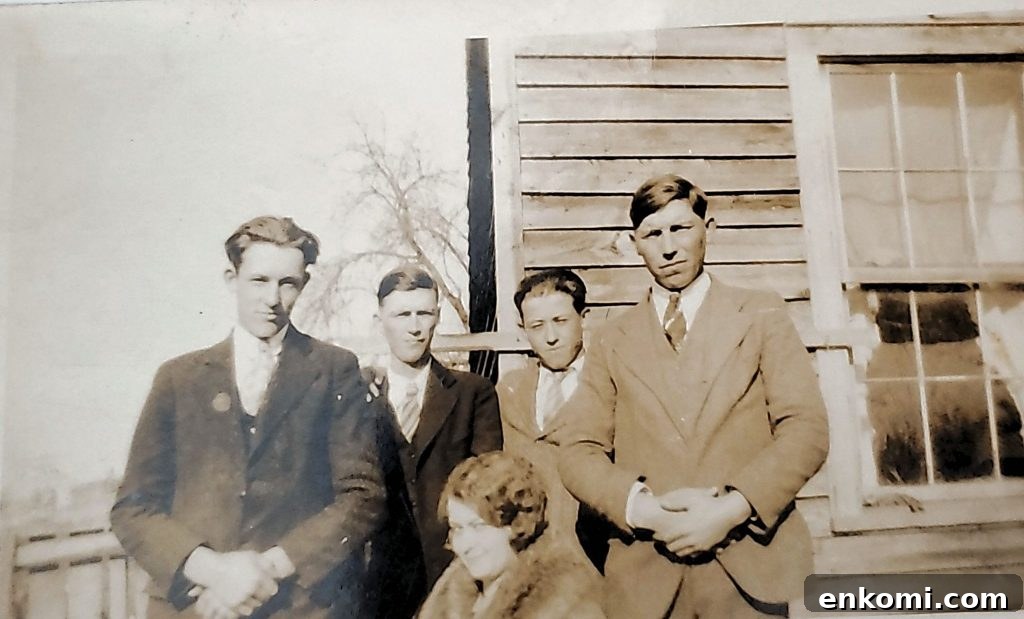
Practical tips to stay on track:
- Work in small batches and set daily or weekly goals.
- Group photos by family or album to make identification easier.
- You don’t need to digitize every single print—skip badly damaged or out-of-focus images.
- Label files as you go using a consistent naming format to avoid extra work later.
How to Digitize Family Photos with the Photomyne App
Download the Photomyne app for Android or iOS. The basic features are free to use.
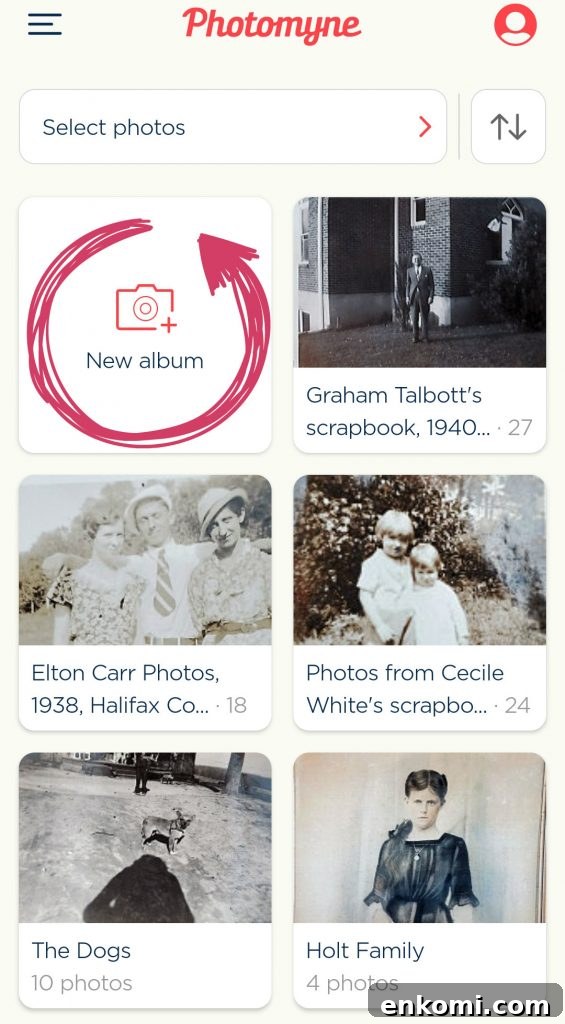
Open the app and tap “New Album.” Hold your phone over the photograph and press the capture button for a few seconds. The app detects and crops photos automatically.
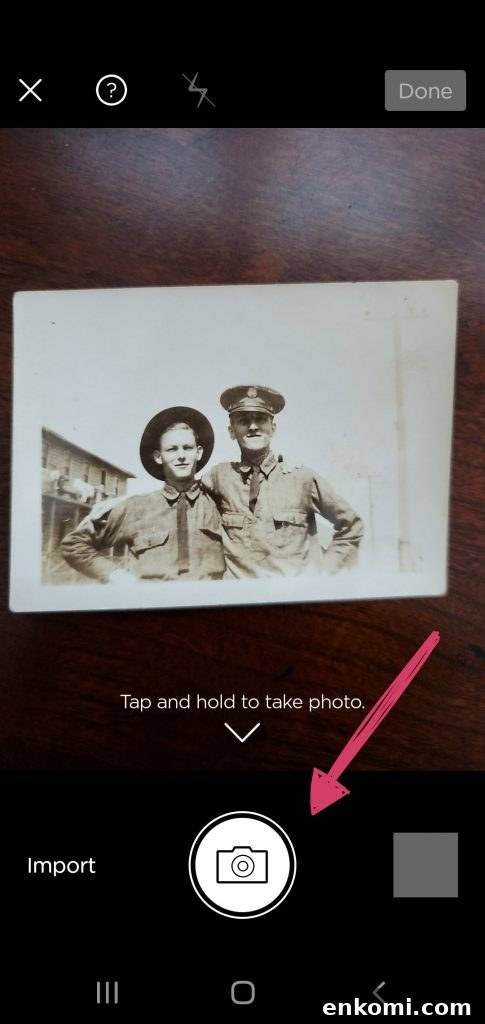
After scanning, organize images inside the album. Use the app to add names, dates, locations, and notes about each photo. These details make the images more valuable for future research.
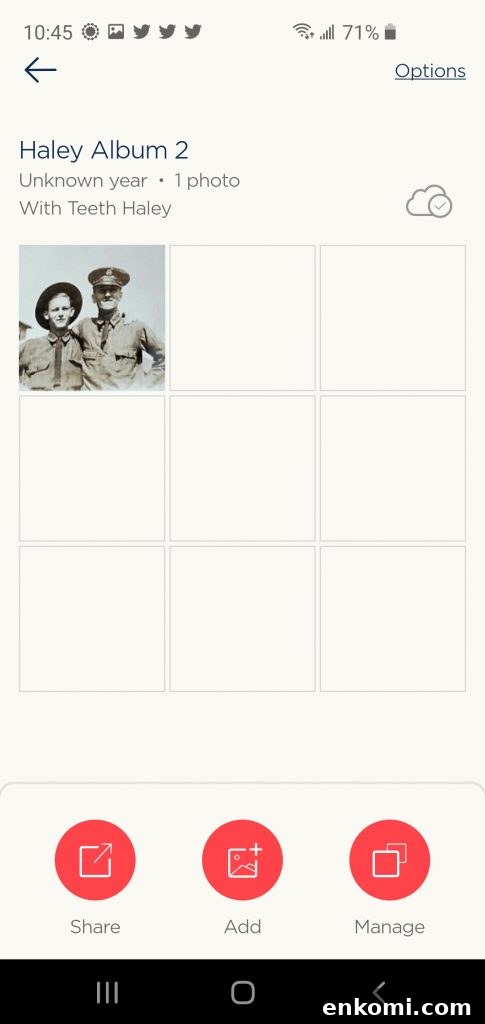
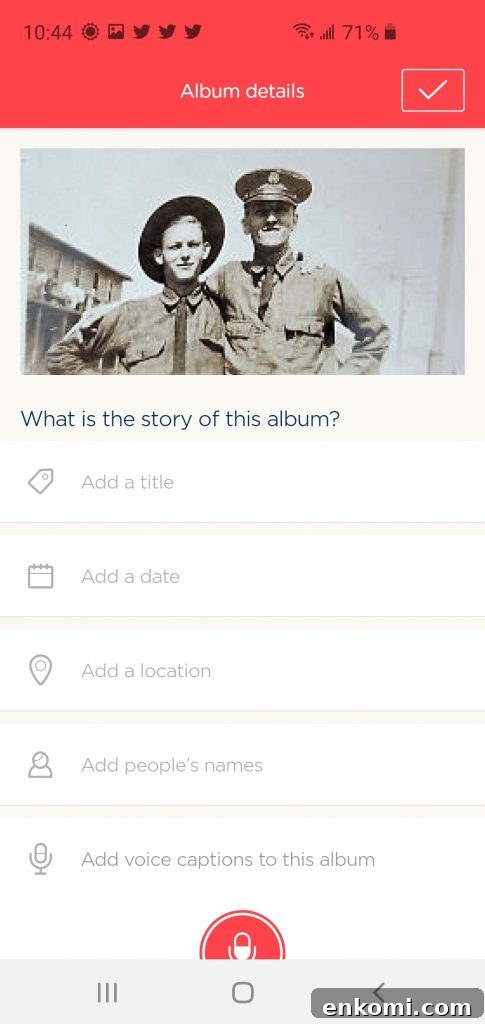
Now share those photographs. Getting unidentified photos in front of relatives and other researchers increases the chances of recognition. Photomyne lets you share via email or social platforms directly from the app.
Scanning Negatives and Slides
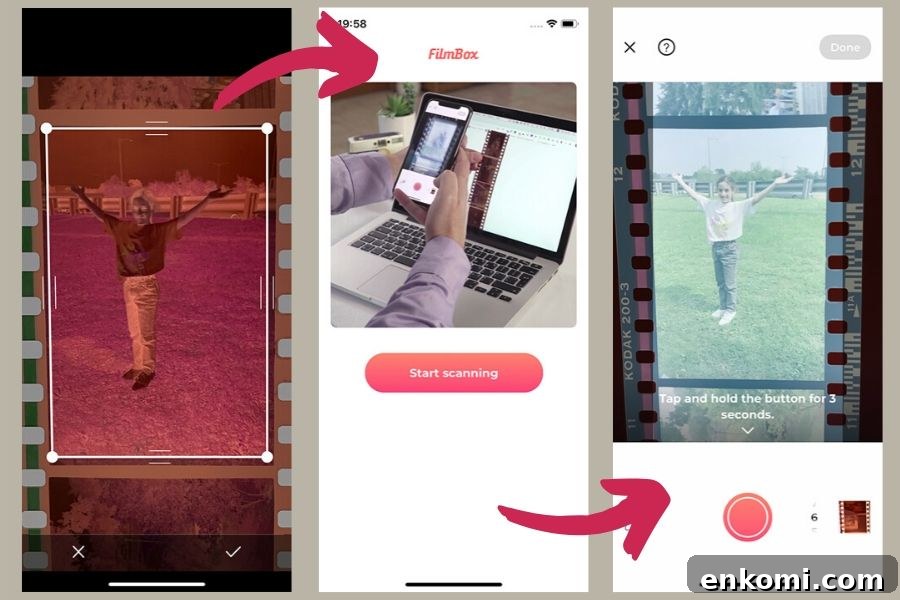
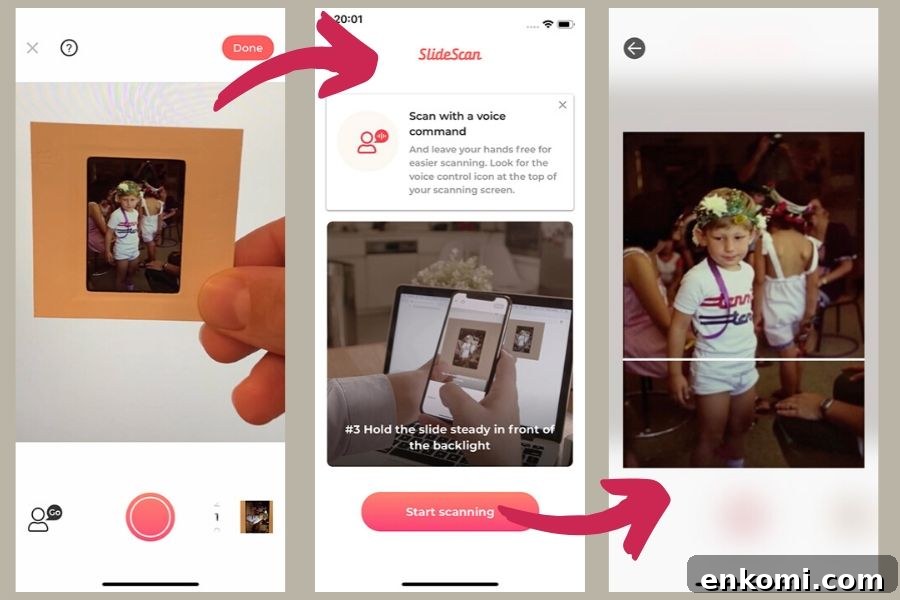
If your collection includes negatives or slides, Photomyne offers specialized apps. FilmBox converts film negatives into positive images, and SlideScan captures old slides. These tools are helpful for digitizing different formats and are currently available on iOS.
Take the Scanner to Family Events
Heading to a family reunion? Ask relatives to bring their photos and offer to scan them on the spot. Mobile scanning makes it possible to digitize and share photos immediately, gather stories, and add new material to your family research.
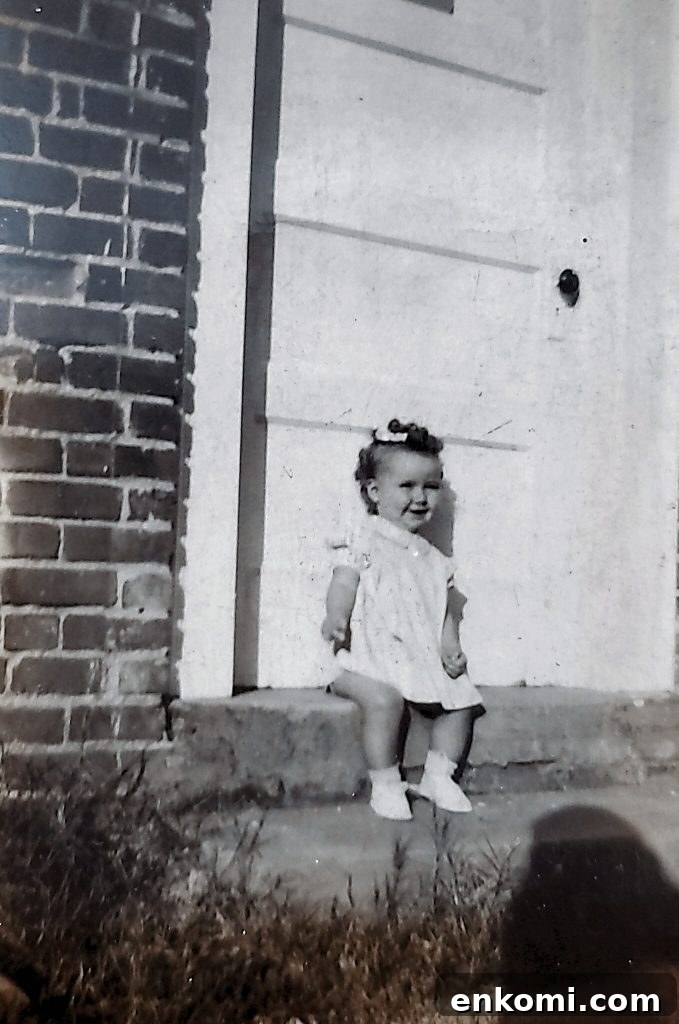
Never underestimate the power of a photograph and the story it holds.
Preserve the photo.
Preserve the stories.
Preserve the family history.
More Posts About Old Family Photos
- Tips & resources to find old family photos
- How to identify old family photographs
- How to recognize five types of old photographs